Vat Calculator for Ireland
Tired of complicated tax calculations? Our free VAT Calculator for Ireland makes it easy to find the net price, tax amount, and final total in seconds. Choose the applicable Irish rate, including 23%, 13.5%, 9%, 4.8%, or 0%, and instantly see the correct breakdown. Whether you’re checking an invoice, pricing a purchase, managing business expenses, or reviewing a payment, the calculator gives you a clear result without manual calculations.
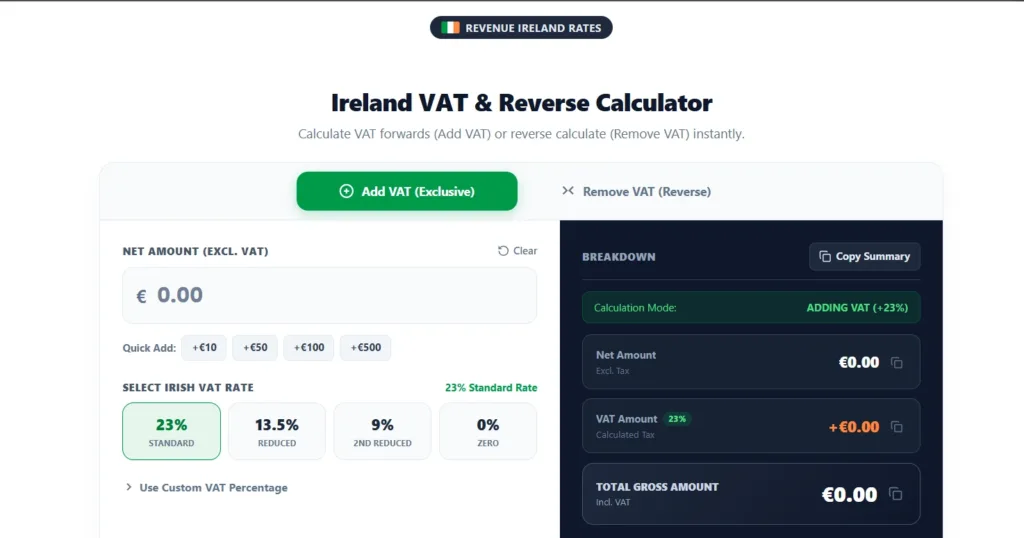
Ireland VAT & Reverse Calculator
Calculate VAT forwards (Add VAT) or reverse calculate (Remove VAT) instantly.
Use Custom VAT Percentage
No calculation history logged yet.
Applies to general goods, electronics, motor vehicles, professional services, telecom, and adult clothing.
Applies to fuel, electricity, heating oil, construction, repair services, and cleaning operations.
Applies to printed & electronic newspapers, magazines, periodicals, and sports facility entrance fees.
Applies to most staple foods, oral prescription medicines, books, children’s clothing, and footwear.
VAT Rate Checker
Know the net and gross prices? Enter both to check which Irish VAT rate was charged.
What Is VAT?
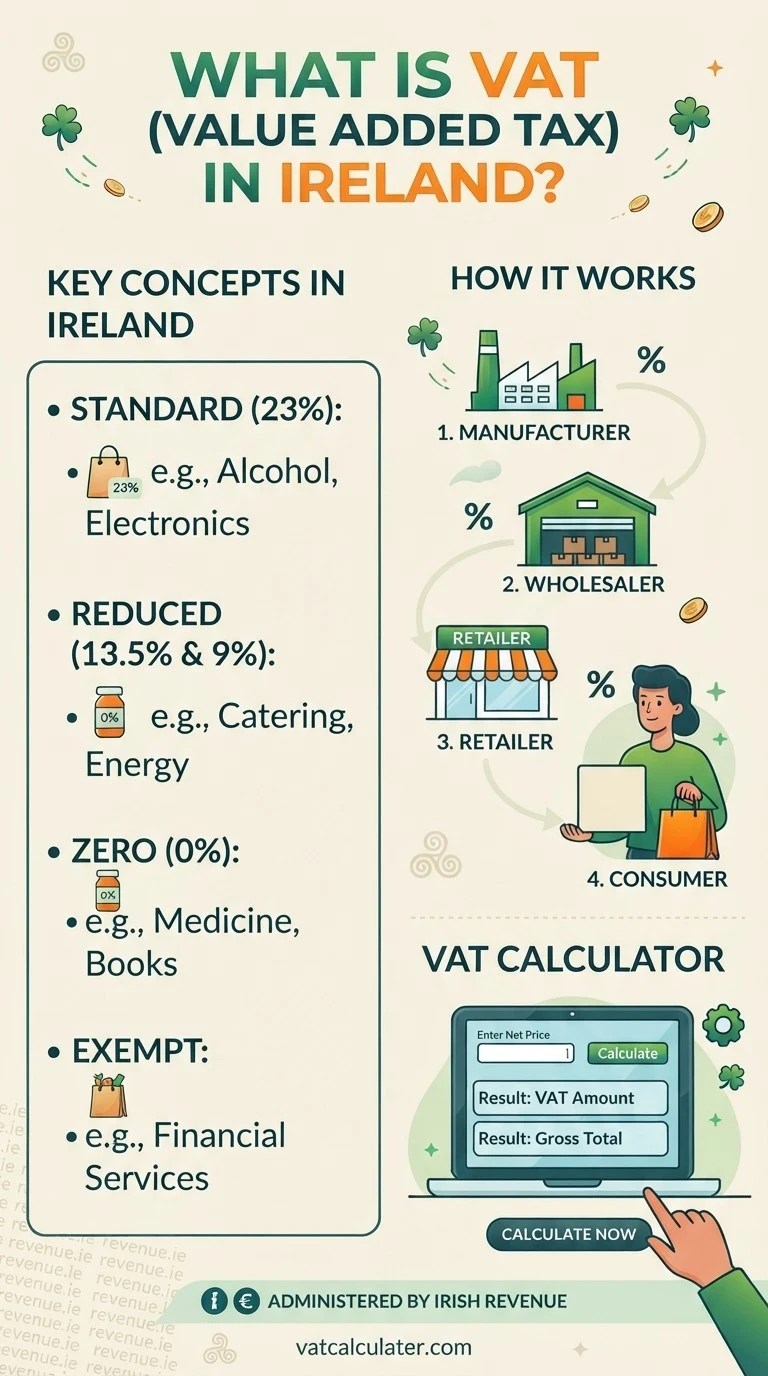
VAT (Value Added Tax) is a tax charged on most goods and services sold in Ireland. It is collected at different stages of the supply chain, with businesses charging VAT to customers and accounting for it to Revenue after deducting eligible VAT they have paid on business purchases.
The end customer generally bears the cost of VAT, while VAT-registered businesses can usually reclaim eligible VAT on purchases. For example, a €100 service at Ireland’s 23% standard VAT rate adds €23 VAT, bringing the total to €123.
Knowing the difference between net price, VAT amount, and gross price makes invoices and purchases easier to understand. A VAT calculator for Ireland can show these figures instantly, so you don’t have to work them out manually.
What Is a VAT Calculator for Ireland?
A VAT calculator for Ireland is a simple online tool that calculates VAT on an amount using the rates set by Revenue. Instead of working out the calculation manually, you enter an amount, choose the applicable VAT rate, and instantly see the net price, VAT amount, and total. It’s useful for businesses, freelancers, shoppers, and anyone who regularly needs to check prices or invoices.
Our calculator supports the main rates used in Ireland, including 23%, 13.5%, 9%, 4.8%, and 0%. For the latest information and rate changes, you can check the current VAT rates in Ireland on Revenue’s official VAT rates page.
How to Use the VAT Calculator for Ireland
The VAT calculator in Ireland is easy to use and takes just a few moments to give you your desired VAT amounts. Follow these steps to get started:
- Enter the amount: Enter the amount in euros (€) that you want to calculate.
- Choose the VAT rate: Select the applicable rate, including 23%, 13.5%, 9%, 4.8%, or 0%. Use the 4.8% Livestock preset button for qualifying livestock and certain agricultural supplies.
- Add or remove VAT: Choose Add VAT to calculate the VAT-inclusive total or Remove VAT to find the net amount from a VAT-inclusive price.
- Check the results: The calculator shows the net amount, VAT amount, VAT rate, and gross/total amount instantly. The Breakdown also shows an extra line explaining what the same amount means in the opposite direction.
- Check a rate you were charged: If you already know both the net and gross prices, use the VAT Rate Checker below the calculator to check which Irish VAT rate was charged.
Irish VAT Rates Explained
Ireland applies several VAT rates depending on the goods or services involved. Here is a simple explanation of the current VAT rates in Ireland:
| VAT Rate | Type | Common Applications |
|---|---|---|
| 23% | Standard Rate | Most goods and services in Ireland, including electronics, adult clothing and professional services. Alcohol, soft drinks and bottled water stay at 23% even when served in a restaurant. |
| 13.5% | Reduced Rate | Building and building services, hotel and short-term guest accommodation, general repairs and maintenance, cinema admission, short-term car hire, fuel and cleaning and maintenance services. |
| 9% | Second Reduced Rate | Restaurant and catering food, hot takeaway food and hairdressing (all moved down from 13.5% on 1 July 2026), gas and electricity, heat pump supply and installation, sporting facilities and gym memberships. |
| 4.8% | Livestock Rate | Live cattle, sheep, pigs, goats, deer and certain horses, and qualifying agricultural supplies. |
| 0% | Zero Rate | Most basic food (bread, milk, tea, coffee), children's clothing and footwear, books and e-books, newspapers, oral medicines, solar panels for private homes, and exports. |
| Exempt | No VAT charged | Financial, insurance, medical, dental and educational services. Exempt businesses charge no VAT and cannot reclaim VAT on their costs. |
The rate that applies follows the exact good or service, not the industry — in the same café, a takeaway food item can be 9% while a bottle of wine stays at 23% and a room upstairs stays at 13.5%. If you are unsure which rate applies, check Revenue's official VAT rates information.
VAT Registration in Ireland
Businesses must charge VAT once their turnover exceeds a specific threshold. In Ireland, this threshold is €42,500 for services and €85,000 for goods. The threshold is based on annual turnover, with Revenue generally assessing the current or previous calendar year. When turnover exceeds the applicable threshold, a business must register for VAT with Revenue. However, businesses below the threshold may choose to register voluntarily if they anticipate significant VAT on setup costs or other business expenses.
Businesses below the threshold that are not VAT-registered generally cannot reclaim VAT costs on their purchases. For farmers, Revenue offers a Flat-rate Scheme instead of full VAT registration in certain circumstances. This allows eligible unregistered farmers to add a 4.5% flat-rate addition in 2026 to qualifying invoices sent to VAT-registered businesses. This helps compensate for the VAT they cannot recover.
Understanding Net Price and Total Amount
Net price is the amount charged before VAT. Shops and service providers often use net prices when working with other businesses, and VAT-registered companies can usually reclaim VAT paid on eligible purchases. For example, if a service costs 100 euros before tax, that 100 euros is the net price. Once the correct VAT rate is added, the final sale price becomes clear.
The sale price, also called the gross price or total amount, is what the customer pays at the register or on an invoice. The net price is included as well as the VAT. A 100-euro net cost at a standard rate of 23% results in a VAT of 23 euros and a total price tag of 123 euro.
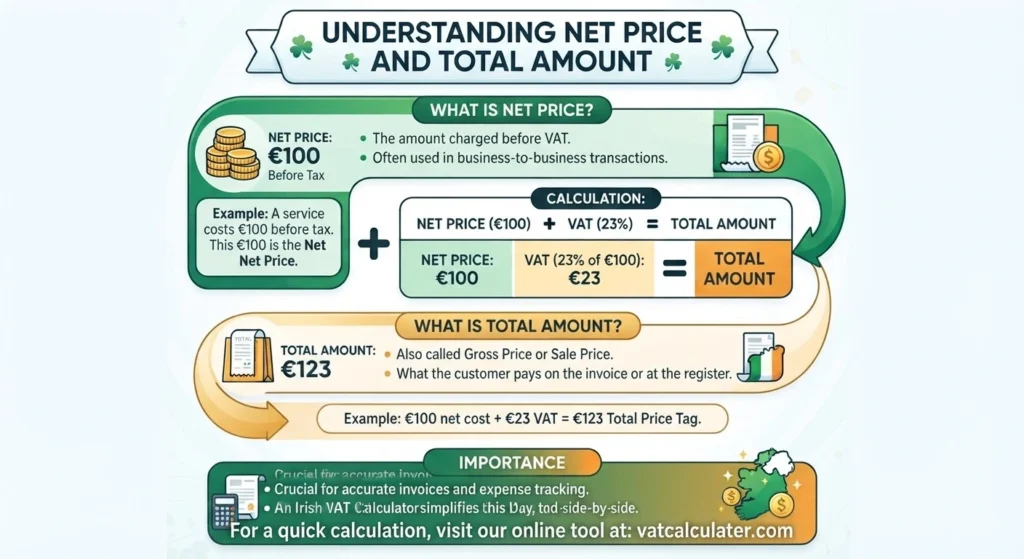
It is important to understand both figures when preparing invoices and checking purchases. It is difficult to tell how much VAT has been added when the retail price only shows the final amount. The Irish VAT calculator simplifies this by displaying the total, net price and VAT amount together.
What Is Net of VAT?
Net of VAT (net price) is the price before VAT is added. To find it, divide the VAT-inclusive (gross) price by 1 plus the VAT rate. At 23%: net = gross ÷ 1.23. Example: €123.00 gross ÷ 1.23 = €100.00 net, so VAT = €23.00. At 13.5%: net = gross ÷ 1.135. Example: €113.50 gross ÷ 1.135 = €100.00 net, so VAT = €13.50. At 9%: net = gross ÷ 1.09. Example: €109.00 gross ÷ 1.09 = €100.00 net, so VAT = €9.00. Use the calculator above: enter the gross price, choose Remove VAT and your rate, and it shows net, VAT and gross instantly.
How to Calculate VAT
Calculating VAT becomes simple once the right VAT formula gets used. Two situations come up again and again: how to add VAT to a net price, or removing VAT from a total price. A vat calculator for Ireland handles both directions instantly, which saves time compared to working out VAT by hand each time a figure gets checked.
Adding VAT
To add VAT in Ireland, multiply the net price by the VAT rate and add it to the net price. Example: a net price of €100 at the standard 23% rate adds €23 of VAT, giving a total gross price of €123. At 13.5%, multiply the net price by 1.135; at 9%, multiply by 1.09.
Example:
- €100 × 23% = €23 VAT
- €100 + €23 = €123 total
Removing VAT
To remove VAT from a price in Ireland, divide the VAT-inclusive price by 1 plus the VAT rate. Example: €123 including 23% VAT divided by 1.23 gives €100 net, so the VAT included in that price is €23. Never subtract 23% from the gross price — that gives the wrong answer, because the 23% was charged on the smaller net price, not on the total.
Example:
- €123 ÷ 1.23 = €100 net price
Use this free online VAT calculator Ireland tool to add VAT, remove VAT, or reverse VAT in seconds. Enter the price, choose 23%, 13.5%, 9%, 4.8% or 0%, and instantly see the net amount, VAT amount and gross total in euros (€). Example — remove 23% VAT: €123.00 gross ÷ 1.23 = €100.00 net, so VAT = €23.00. Example — add 23% VAT: €100.00 net × 1.23 = €123.00 gross, so VAT = €23.00.
Why Use This Calculator
Our VAT calculator is designed just for Ireland, not as an add-on to a general EU tool. Here are a few reasons it stands out:
Built for Ireland only
Many online calculators are designed for a different country or use generic tax settings, which can leave Irish users adjusting the figures themselves. Our calculator starts with rates used in Ireland, making the calculation clear.
Accurate to the cent
The calculator rounds displayed results to the nearest cent, making everyday VAT calculations easier to read and use. Small rounding differences can lead to issues during VAT returns. We handle this detail correctly from the start.
Fast and clutter-free
Results show up as soon as you enter an amount and rate. There are no long paragraphs or extra clicks. The layout focuses on key numbers: net price, VAT amount, and total. You won’t need to scroll to find what you’re looking for.
Works for everyone
Business owners use the calculator to price goods and prepare invoices invoices that meet Revenue's standards. Freelancers rely on it for client quotes and to check after-tax amounts. Shoppers use the calculator to see how much VAT is in their purchases.
No sign-up required
You never need to create an account or enter an email for it. The calculator is free, fast and open every time you use it, with no hidden steps. When you need a calculation without wasting time this simple setup is especially useful.
Common VAT Mistakes Worth Avoiding
Small errors during VAT calculations often repeat themselves across invoices, receipts, and accounts. Here are the mistakes that come up most, along with a tip for avoiding each one.
Subtracting the Percentage Instead of Dividing
To remove 23% VAT from a 123 euro total, the answer is not 123 minus 23%. That shortcut gives a wrong figure, because VAT applies to the net price, not the total.
Tip: Always divide the total by 1.23, or by 1 plus the VAT rate for any other rate used.
Rounding too Early in a Calculation
Rounding the net price before working out VAT can throw off the final total by a cent or more, which adds up across many invoices.
Tip: Keep the full figures during the calculation and round only the final result to two decimal places.
Forgetting that Rates can Change
VAT rates sometimes shift after a Budget announcement, and an old rate saved in a spreadsheet can quietly stay wrong for months.
Tip: check Revenue's current rates periodically, especially at the start of a new tax year.
Using the Wrong Rate for Restaurant and Takeaway Food
Restaurant and catering services are subject to the 9% VAT rate from 1 July 2026. The 9% rate also applies to hot takeaway food and hot tea and coffee, while some drinks such as alcohol, soft drinks and bottled water remain subject to the standard rate. Other takeaway food can have different VAT treatment depending on the item.
Tip: Check the type of food or drink and whether it is supplied as a restaurant, catering, or takeaway service before choosing a VAT rate.
Treating Zero Rated the Same as VAT Exempt
Zero rated goods stay within the VAT system at 0%, which affects how a business can reclaim VAT on related purchases. Exempt supplies, such as certain medical or educational services, follow different rules entirely.
Tip: check Revenue's classification for a good or service rather than assuming based on price.
Frequently Asked Questions
Conclusion
VAT calculations become much easier when you understand the correct rate and know the difference between the net price, tax amount, and final total. Choosing the right rate also helps you avoid common mistakes when preparing invoices, checking purchases, or planning business costs. Our calculator saves you from doing the maths by hand and shows the result within seconds. Whether you’re checking a single receipt or working through several invoices, you can quickly see the figures you need and return whenever another calculation comes up.